If you’re experiencing connectivity issues with your Samsung Galaxy S26, resetting your mobile network settings can often fix the problem. This will clear all your network configurations and restore them to factory defaults, which can resolve issues with cellular data, Wi-Fi, and Bluetooth.
- Press the home button to return to your home screen.
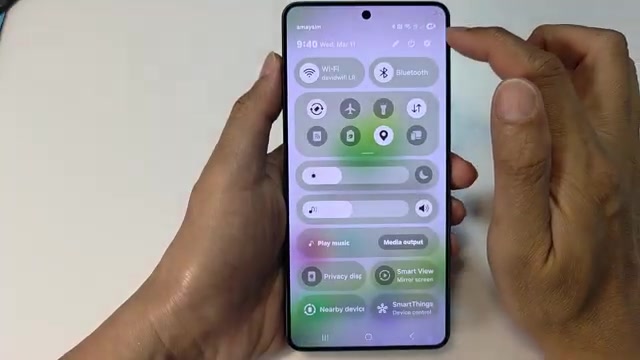
- Swipe down from the top of the screen and tap the settings icon.
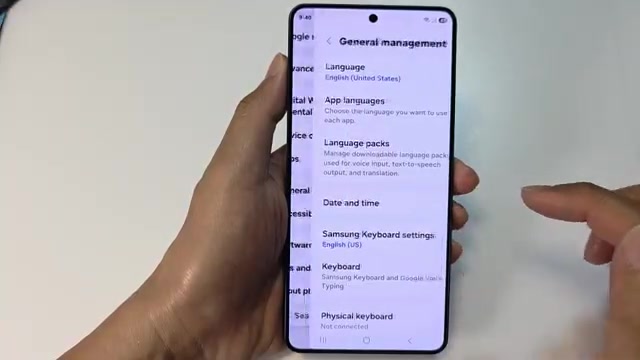
- Scroll down and tap on General management.
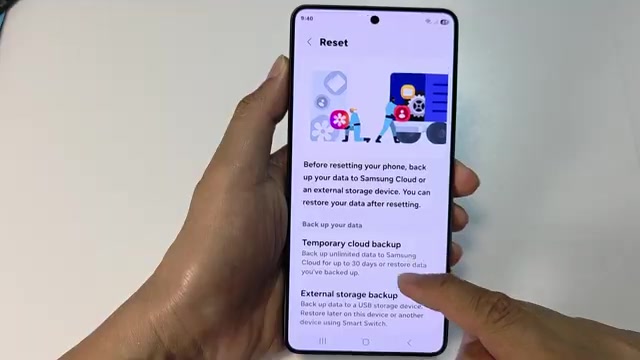
- Scroll down again and tap Reset.
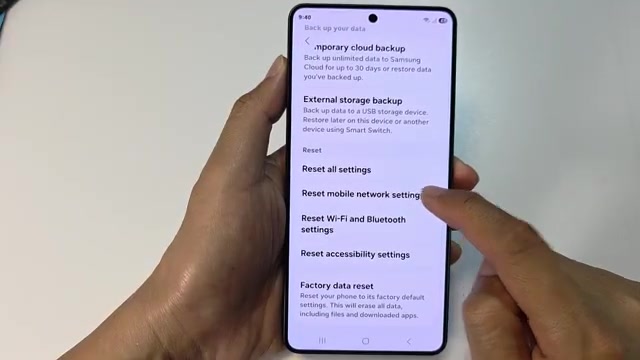
- Scroll down and select Reset mobile network settings.
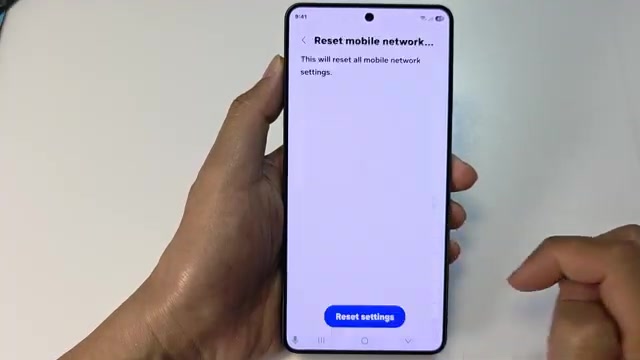
- Tap Reset settings at the bottom.
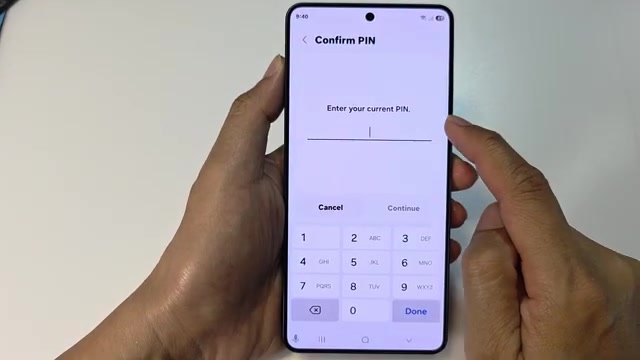
- Enter your current PIN and tap Continue.
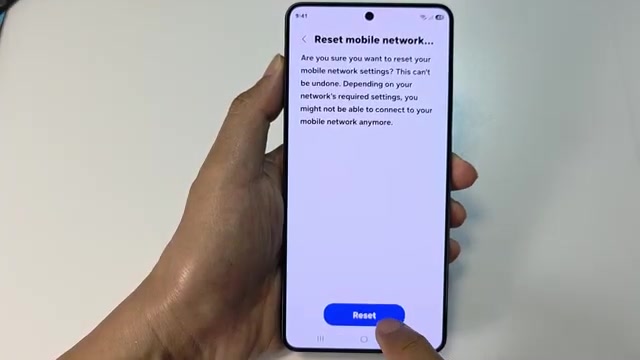
- Tap Reset one more time to confirm. You’ll see a warning that this action can’t be undone.
- Once the reset completes, press the home button to return to your home screen.
Your network settings are now back to default. You’ll need to reconnect to Wi-Fi networks and re-pair Bluetooth devices, but this often clears up stubborn connection problems.